
 English
 Bahasa Indonesia
 日本語
 한국어
Kuartalink Home
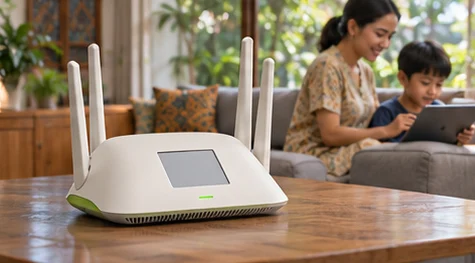
A home Wi-Fi router with an e-paper display.
 From Rp 3.816.000 / US$212.00
Highlights
The design
A home Wi-Fi router with an e-paper display.

Inside the system
For a home installation, include the floor area, service type and where the router will sit.
In your workspace
Walk through the rooms that need coverage and note the walls between users and the access point.
Take a closer look
Top Four antennas surround the top of the router.
Front Keep the status indicator visible from the room.
Side The antennas rise above the low housing.
Bottom The router rests on a shelf near the internet connection.
Performance and configuration
For a home installation, include the floor area, service type and where the router will sit.
Compare Kuartalink models →Choose your workload

Coverage
Walk through the rooms that need coverage and note the walls between users and the access point.

Network operations
Map the uplink and the devices that need separate access before installation.
AI in your workspace

Spark
Ask questions and develop a draft from documents your team can access.
Explore Spark →
Satellite
Delegate a multi-step task and review its result before handing it on.
Explore Satellite →
Forge
Develop code and review changes inside a software project.
Explore Forge →AI access depends on your plan and deployment. Compare subscriptions →
Kuartal Super Intelligence
Explore the Cortex, runtime and hardware behind an institutional AI deployment.
Explore →Industry platforms
See how teams use Medipulse for healthcare and other industry workspaces through the application directory.
Explore →Privacy and self-hosting
Choose where a model runs, who can see a source record and how access is reviewed.
Explore →Build a setup around Kuartalink Home
Pair the main connection with coverage where your users need it.
Make it your own
Ask about displays, printed enclosure colours, anodised aluminium and fitted skins for your model.
Shop accessories and finishes →Shopping with Kuartal
Talk through your setup with Spark
Bring your app list, desk dimensions and workload to Spark. Use the product specifications here to prepare questions for the store.
Open Spark →Kuartal Trade
Ask for an assessment of a Mac mini, iPhone or earlier Kuartal device. Provide the model and condition. Ownership, activation locks and inspection determine eligibility. Keep your device until you accept a written offer.
Ask the store →Education and team pricing
Share the institution, number of users and delivery location for an education or volume quotation.
Ask the store →Payment and collection
Ask which instalment options apply to your order. Delivery dates, fees and pickup locations are confirmed for your address before payment.
Ask the store →Setup and shopping help
Bring a workload, an app list or a photo of your desk. The store team can help with compatible hardware, accessibility needs and remote setup.
Ask the store →Which model fits your work?

Kuartalink Node
Describe the rooms you need to reach and your existing network so the team can advise on placement and quantity.
Rp 2.358.000 / US$131.00 →
Kuartalink Edge Pro
Include your office locations, internet connections and the number of users when requesting a configuration.
Rp 8.100.000 / US$450.00 →Responsible shopping
For procurement, request the material breakdown, recycled content, energy sourcing and packaging information for the build you choose. Ask about reuse through trade-in and accessibility for the people who will use the device.
Ask about this build →Explore Kuartal Impact →